What Data Does Your AI Chatbot Need Before It Goes Live?
An AI chatbot can only answer as well as the information you give it. Most of the work that decides its quality happens before any code is written, when you collect and clean your business data.
What data does an AI chatbot need to answer customers correctly?
An AI chatbot needs clear, current and approved business information: common customer questions with answers, product or service details, policies, prices or price rules, timings, locations and contact routes. It also needs rules on what it must not answer and when to hand over to a person. Clean, short, organised content matters more than a large amount of data.
Key takeaways
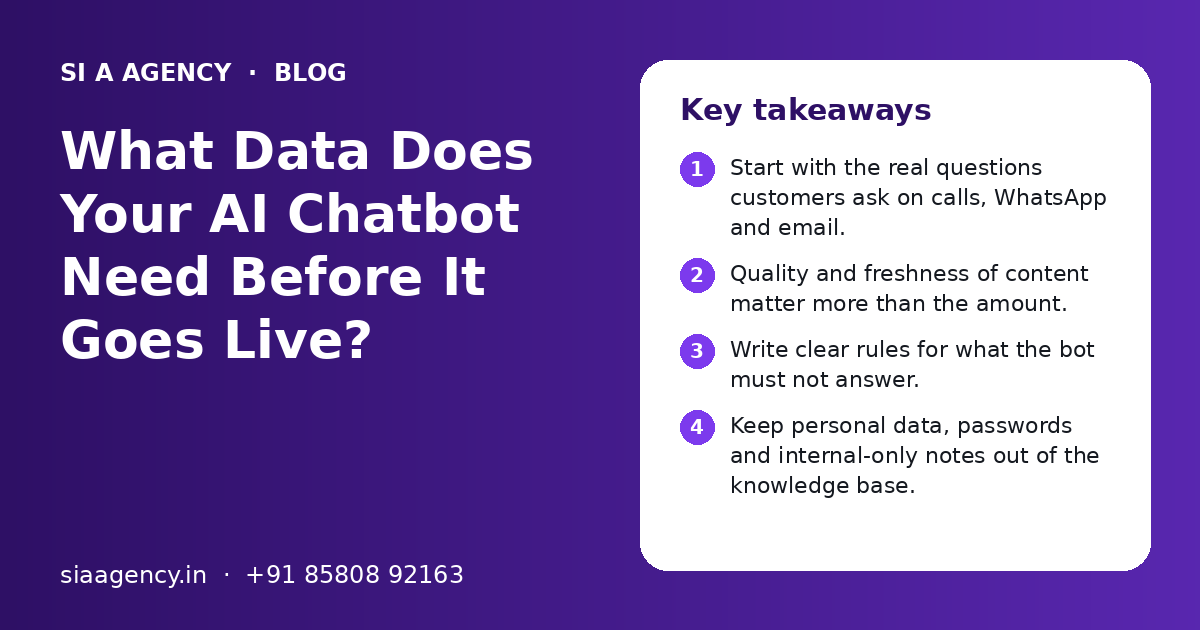
- Start with the real questions customers ask on calls, WhatsApp and email.
- Quality and freshness of content matter more than the amount.
- Write clear rules for what the bot must not answer.
- Keep personal data, passwords and internal-only notes out of the knowledge base.
- Give every document an owner who updates it when things change.
- Test with real questions before launch, in the languages customers use.
What data does an AI chatbot need to work well?
An AI chatbot needs the same information a good new employee would need on the first day: what you sell, who you serve, your rules and policies, and how to reach the right person. It does not need every file your company has.
Modern chatbots use a large language model, such as the models behind ChatGPT or Claude. The model already knows how to read and write. What it does not know is your business. Your data fills that gap.
Usually, the chatbot does not 'learn' your data by retraining the model. Instead, it searches your approved content for each question and writes an answer from what it finds. This method is called retrieval, and our RAG knowledge base chatbot page explains how it works.
So the real question is not "how much data do I have?" but "is my information clear, current and approved?"
Which types of business data should you collect first?
Collect the information that answers the questions customers ask most often. For most businesses this is a short list of FAQs, product or service details, policies and contact rules.
| Data type | Examples | Why the bot needs it |
|---|---|---|
| Customer FAQs | Timings, delivery areas, documents needed, booking steps | Covers most daily questions |
| Products or services | Names, features, sizes, plans, who it is for | Helps the bot explain and compare options |
| Prices or price rules | Price list, starting prices, what changes the price | Stops the bot from guessing numbers |
| Policies | Refund, return, cancellation, warranty, shipping | Gives exact, approved wording |
| Process steps | How to book, pay by UPI, track an order, raise a complaint | Lets the bot guide people step by step |
| Contact and handover rules | Phone, WhatsApp, email, branch list, working hours | Tells the bot where to send people |
| Tone and language notes | Formal or friendly, Hindi or English, words to avoid | Keeps replies on-brand |
Where to find this information
Look at your website, brochures, price lists, policy PDFs, staff training notes, and old WhatsApp and email replies. Your support or sales staff already answer these questions every day. Sit with them for an hour and write down the top questions and their best answers.
If you are not sure which questions matter, our AI customer support page shows the kinds of queries a bot usually handles first.
How much data does an AI chatbot need?
Less than most people think. A focused chatbot can start with a few well-written pages covering your main questions, and grow from there.
A small clinic, coaching centre or shop may start with one FAQ document, one services or price list and its policies. A larger business with many products may need product sheets, manuals and a full help centre.
Good starting data
- Short, clear answers to real questions
- One current version of each policy
- Product details with names that match your website
- Clear rules on when to hand over to a person
Data that causes problems
- Old brochures with past prices and offers
- Three different refund policies from different years
- Long internal emails mixed with customer content
- Scanned images of text that the system cannot read well
Adding more documents does not always help. If two documents say different things, the bot may pick the wrong one. Clean, consistent content gives better answers than a large pile of files.
How should you prepare and clean the data?
Remove old and duplicate content, fix conflicts, write short question-and-answer pairs, and save files in text-friendly formats. This step decides most of the chatbot's quality.
- 1
Make a list of sources
Write down every document, page and sheet you plan to use, with who owns it and when it was last updated.
- 2
Remove old versions
Keep only the current policy, price list and product details. Archive the rest outside the knowledge base.
- 3
Fix conflicts
If two documents disagree, decide which is right and correct the other one.
- 4
Write Q&A pairs
Turn the top customer questions into short question-and-answer pairs in plain language.
- 5
Use clear headings
Split long documents into sections with headings, so the system can find the right part.
- 6
Use readable formats
Prefer Word files, Google Docs, text-based PDFs, web pages or spreadsheets. Convert scanned images to text first.
- 7
Add dates and owners
Note when each document was last checked and who updates it.
What data should you never give an AI chatbot?
Keep personal customer data, passwords, financial account details and internal-only notes out of the knowledge base. If the bot can read it, there is a risk it can repeat it.
- No customer names, phone numbers, addresses or order histories in the general knowledge base.
- No passwords, API keys or login details anywhere in documents.
- No bank account, card or salary details.
- No internal margins, supplier rates or staff discussions.
- No medical, legal or financial advice text that has not been approved by a qualified person.
- No draft policies that are not yet final.
If the chatbot needs live customer details, such as order status, it should fetch only that customer's record through a secure system connection after checking who they are. That is a separate design from the general knowledge base.
India's Digital Personal Data Protection Act, 2023 makes careful handling of personal data more important for every business. Our AI agent security and safety page explains how we limit access and keep logs.
What rules and instructions does the chatbot need?
Besides content, the chatbot needs written rules: what topics it covers, what it must refuse, how it should speak and when it must pass the chat to a person.
| Rule type | Example |
|---|---|
| Scope | Answer only about our courses, fees, batches and admissions. |
| Refusal | Do not give medical advice. Suggest booking a consultation instead. |
| Unknown answers | If the answer is not in the documents, say so and offer a callback. |
| Handover | Pass the chat to staff for complaints, refunds and urgent issues. |
| Tone | Polite, short sentences, no slang. |
| Language | Reply in the language the customer uses: English, Hindi or Hinglish. |
| Data collection | Ask for name and phone only when the customer wants a callback. |
These rules are as important as the documents. A bot with good data but no rules may still go off-topic. Our AI chatbot development process includes writing and testing these rules with you.
Does the chatbot need data in Hindi, Punjabi or other languages?
Not always. Modern AI models can often read English documents and reply in Hindi or Hinglish. But you should test this, and add local terms customers really use.
Many Indian customers type in Hinglish, like "fees kitni hai" or "delivery kab tak hogi". Add these common phrases to your FAQ list, so the system can match them to the right answer.
- Keep the main documents in one language, usually English, to avoid conflicts.
- Add a list of local words and spellings for your products and services.
- Test the top questions in each language your customers use.
- Ask a native speaker to review sample replies in Punjabi, Tamil or other languages before launch.
If your customers mostly reach you on WhatsApp, read our AI WhatsApp chatbot page for how language and handover work there.
How do you test the chatbot with your data before launch?
Make a test list of real customer questions, including tricky ones, and check every answer against your documents before the bot goes live.
- Collect real questions from recent calls, chats and emails.
- Add questions the bot should refuse or hand over.
- Add questions where the answer is not in your data, to check that the bot admits it.
- Ask the same question in different words and languages.
- Check prices, dates and policy terms word by word.
- Record every wrong or weak answer and fix the source document, not just the reply.
After launch, read chat logs every week for the first month. Unanswered questions show you what to add next. Many gaps come from missing or unclear content, not from the AI model itself.
How do you keep chatbot data up to date?
Give every document an owner, review it on a fixed schedule, and update the knowledge base the same day a price, policy or timing changes.
Old data is one of the most common reasons a chatbot gives a wrong answer. A festival offer that ended last month, a branch that moved or a changed refund rule can all confuse customers.
- Keep a simple sheet listing each source, its owner and its last review date.
- Review FAQs and prices monthly, and policies every quarter or when they change.
- Remove expired offers on the day they end.
- Add new questions from chat logs as fresh Q&A pairs.
If you want help deciding what to collect and how to set this up, our AI consulting team can map it out with you. You can also contact us for a free call. Our team works Monday to Friday, 9:30 to 6:30 IST, from Mohali, and is powered by Shivah Web Tech.
Related Pages
AI Chatbots
Chatbots for website and WhatsApp trained on your own content.
RAG Knowledge Chatbot
Chatbots that answer from your own documents and show the source.
AI Agent Security
How to keep AI agents safe: access, approvals, data and testing.
AI Customer Support
Faster support replies with AI and your team working together.
Frequently Asked Questions
Can I build an AI chatbot from my website content only?
Yes, for a simple chatbot your website can be a good starting point, as long as it is current and covers the questions customers ask. Most businesses then add an FAQ document, policies and price rules that are not fully on the website. Old or thin pages should be fixed first, because the bot will repeat whatever the site says.
Do I need thousands of documents to make a chatbot?
No. Many useful business chatbots start with a few clear documents: an FAQ list, a services or product list, policies and contact rules. The quality, clarity and freshness of the content matter much more than the number of files. You can add more content later based on the questions people actually ask.
Can a chatbot read my PDF files?
Yes, if the PDF contains real text. Many systems can read text-based PDFs, Word files, Google Docs, spreadsheets and web pages. Scanned PDFs that are only images need to be converted to text first. Long PDFs work better when they have clear headings and sections, so the system can find the right part.
Will my business data be used to train public AI models?
This depends on the AI provider and the plan or settings used. Many business API plans say customer data is not used for training by default, but you should check the current terms of the provider you choose. We explain these settings in plain words during setup and keep personal data out of the knowledge base.
What happens if the chatbot does not find the answer in my data?
A well-set-up chatbot should say it does not have that information and offer a next step, such as a callback, a WhatsApp handover or your phone number. It should not guess. Every unanswered question is useful, because it shows you which content to add to the knowledge base next.
How long does it take to prepare data for a chatbot?
For a small business with clear FAQs and policies, data preparation can take a few days. For larger businesses with many products, old documents and conflicting versions, it can take a few weeks. The time depends mostly on how organised your current information is and how quickly your team can approve answers.
Who in my company should prepare the chatbot data?
The people who answer customers every day, such as support, sales or front desk staff, know the real questions best. A manager should approve prices and policies. One person should own the knowledge base and keep it updated. Our team helps structure, clean and test the content, but final approval should come from you.
Talk to our team today
Call or WhatsApp +91 85808 92163. We reply fast, Monday to Friday.